Ship-ready app icons for every platform, from a single image.
App Icon Atelier turns any PNG, JPEG, HEIC, PDF or SVG into every icon file you need for iPhone, iPad, Mac, Apple Watch, Apple Vision Pro, Apple TV, Android and the web. Drag and drop, edit with live previews, export in one click.
Requires macOS 27 or later · 2-week free trial · Everything happens on your Mac.
Apple · Android · Web
App Icon Atelier
Make your artwork feel at home. On every platform.
01
Import any format
PNG, JPEG, HEIC, TIFF, GIF, BMP, WebP, ICNS, PDF and SVG. Drop a file on the window or choose it with ⌘O. Large photos are downsampled automatically and vector files are rendered at high resolution. Logos with transparent edges get a gradient background and safe padding automatically.
02
Non-destructive editing
Your original image is never changed. Position, scale, rotation, color, background, corner and shadow settings are stored as a style and reapplied on every preview and export. Every change can be undone with ⌘Z.
Section
Tools
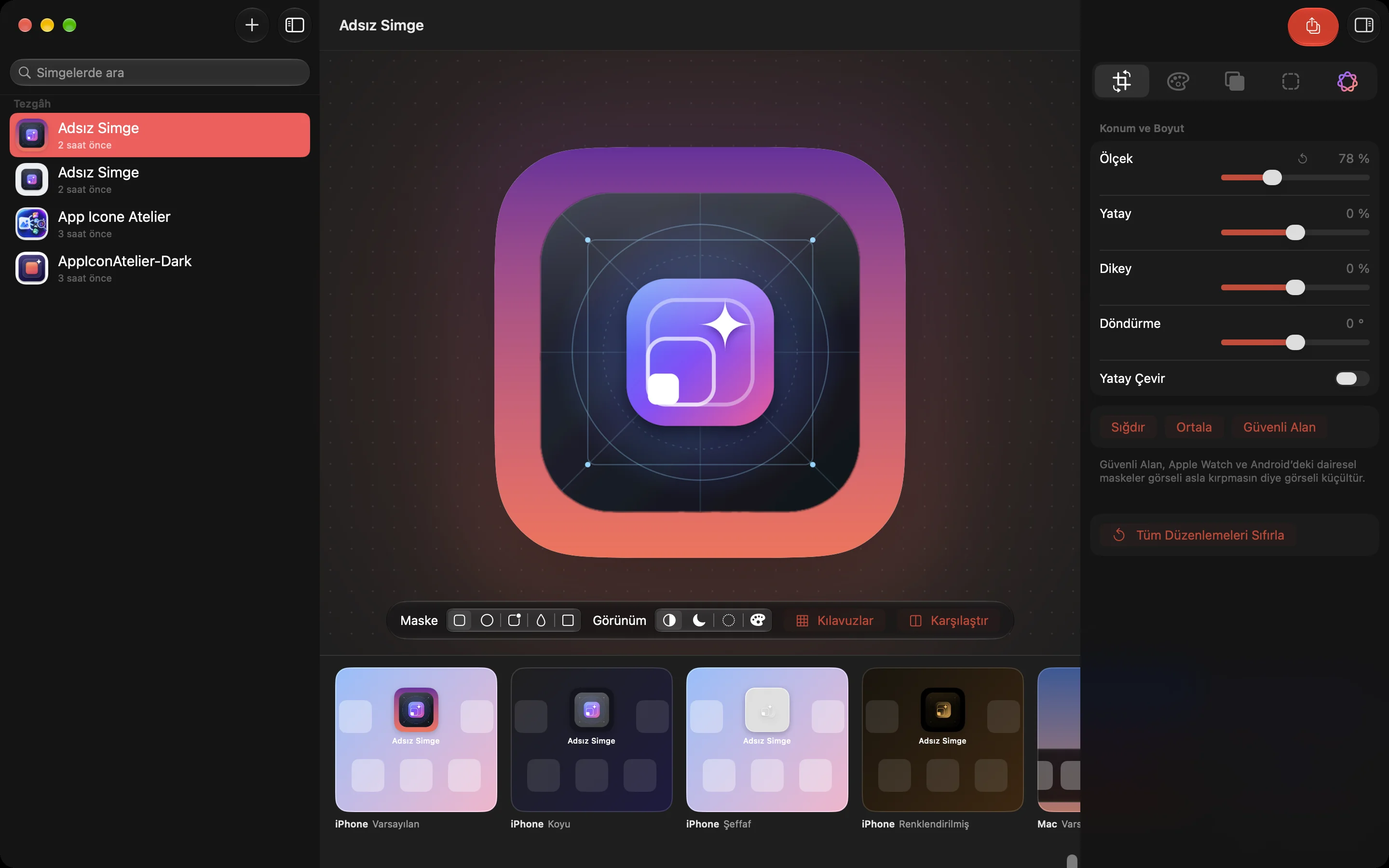
Layout
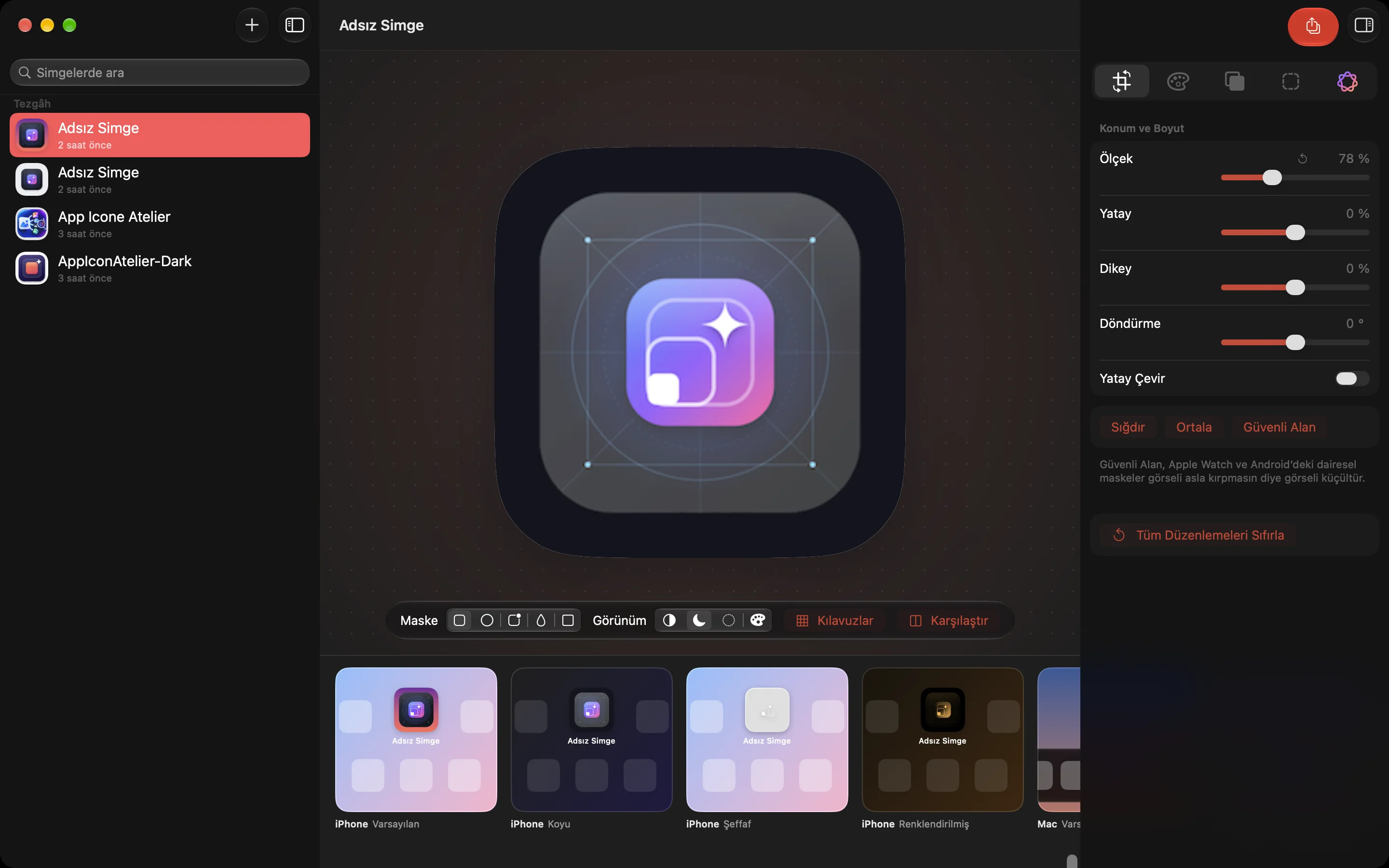
Scale, horizontal and vertical position, rotation, flip, Fit, Center, Safe Area
Color
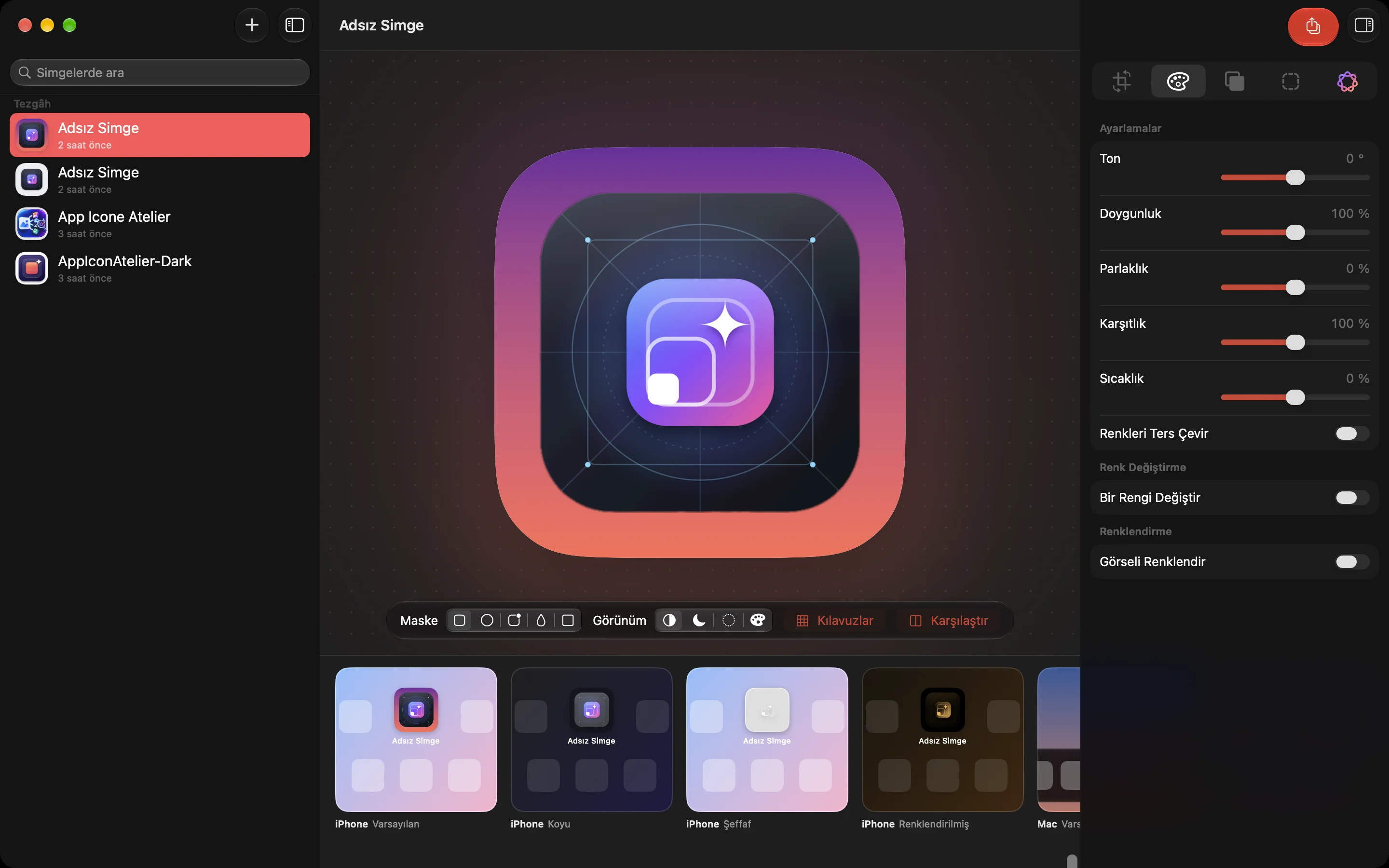
Hue, saturation, brightness, contrast, temperature, invert, color replacement, tint
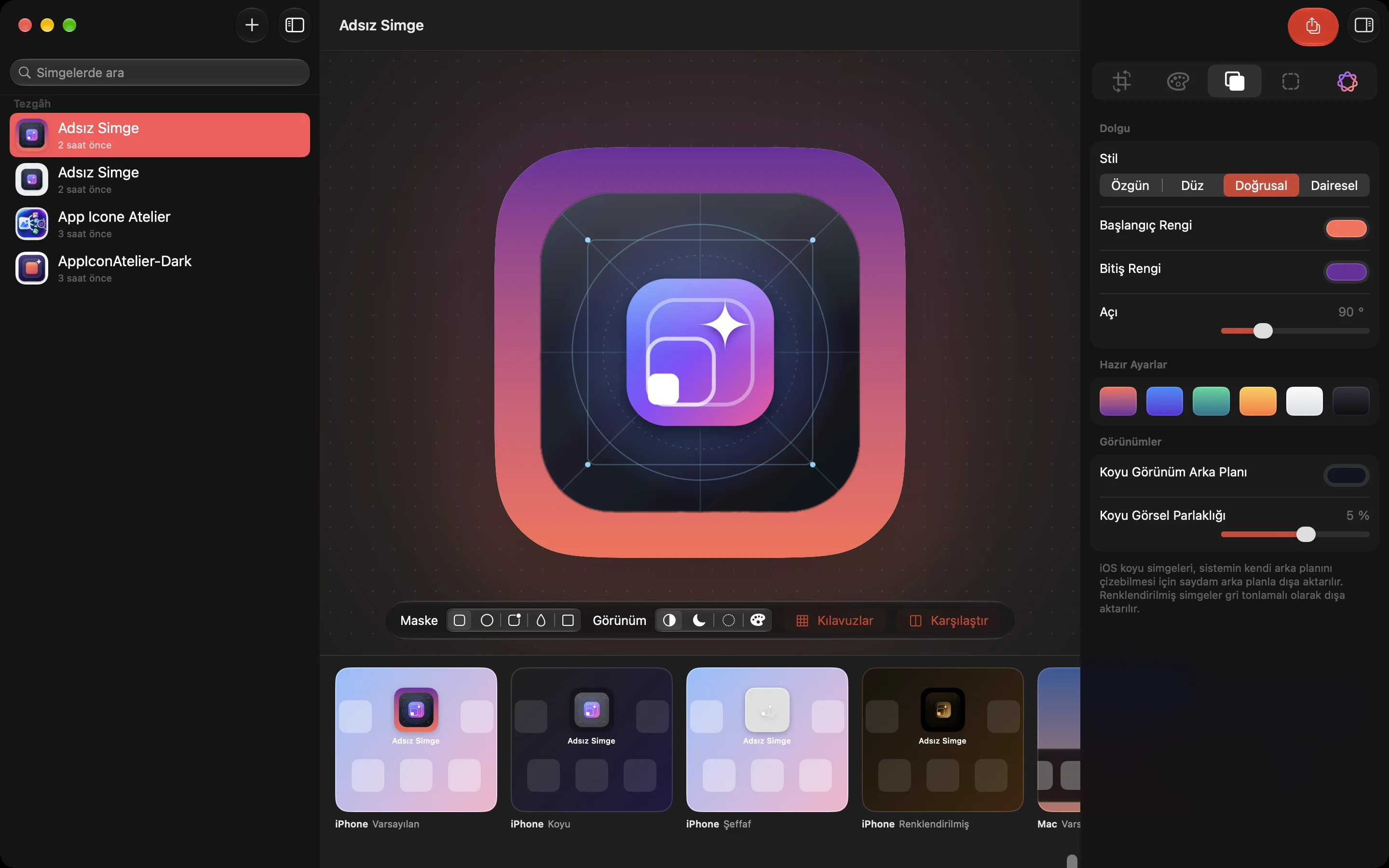
Background
Original, solid color, linear or radial gradient, preset palettes, dark appearance settings
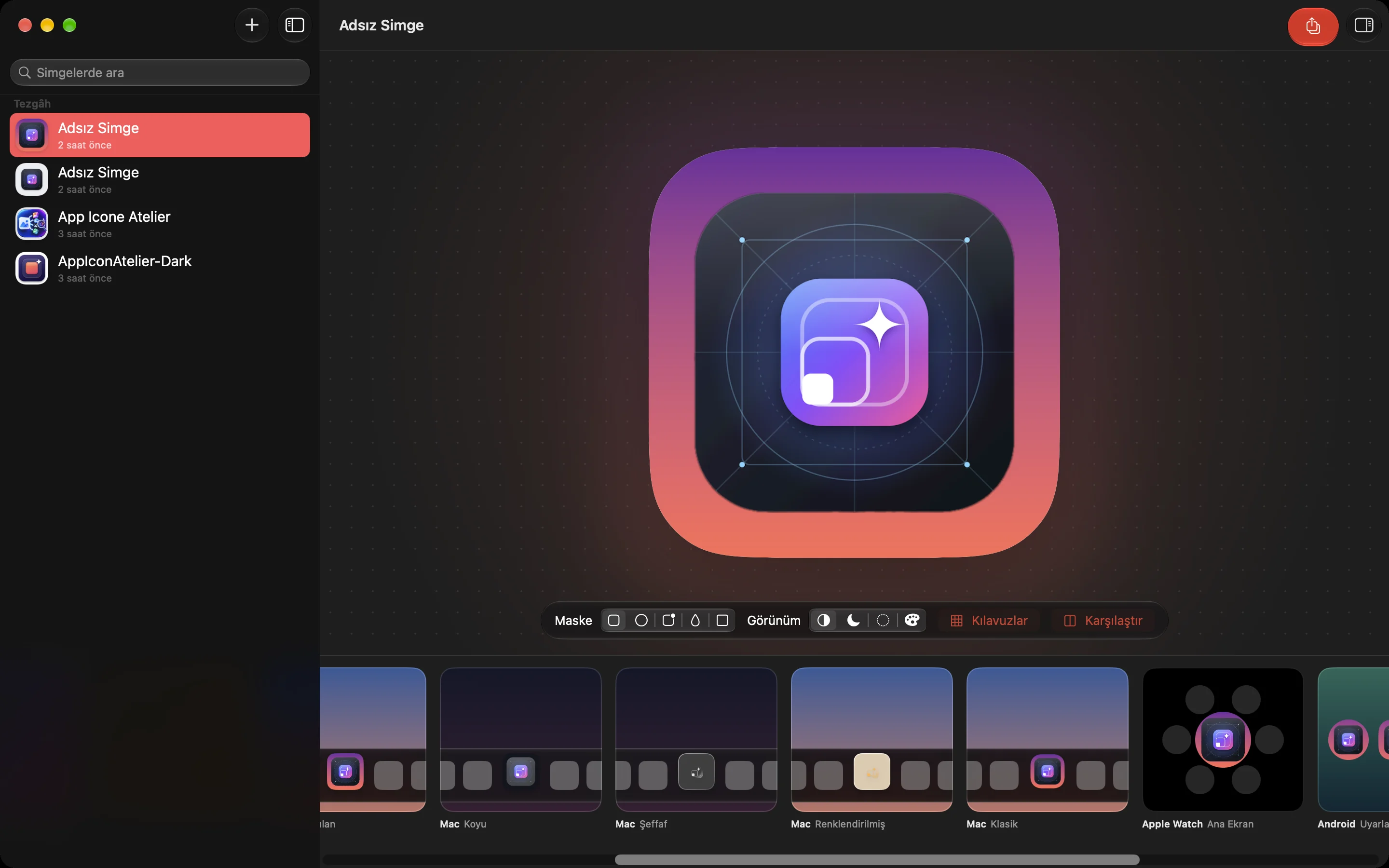
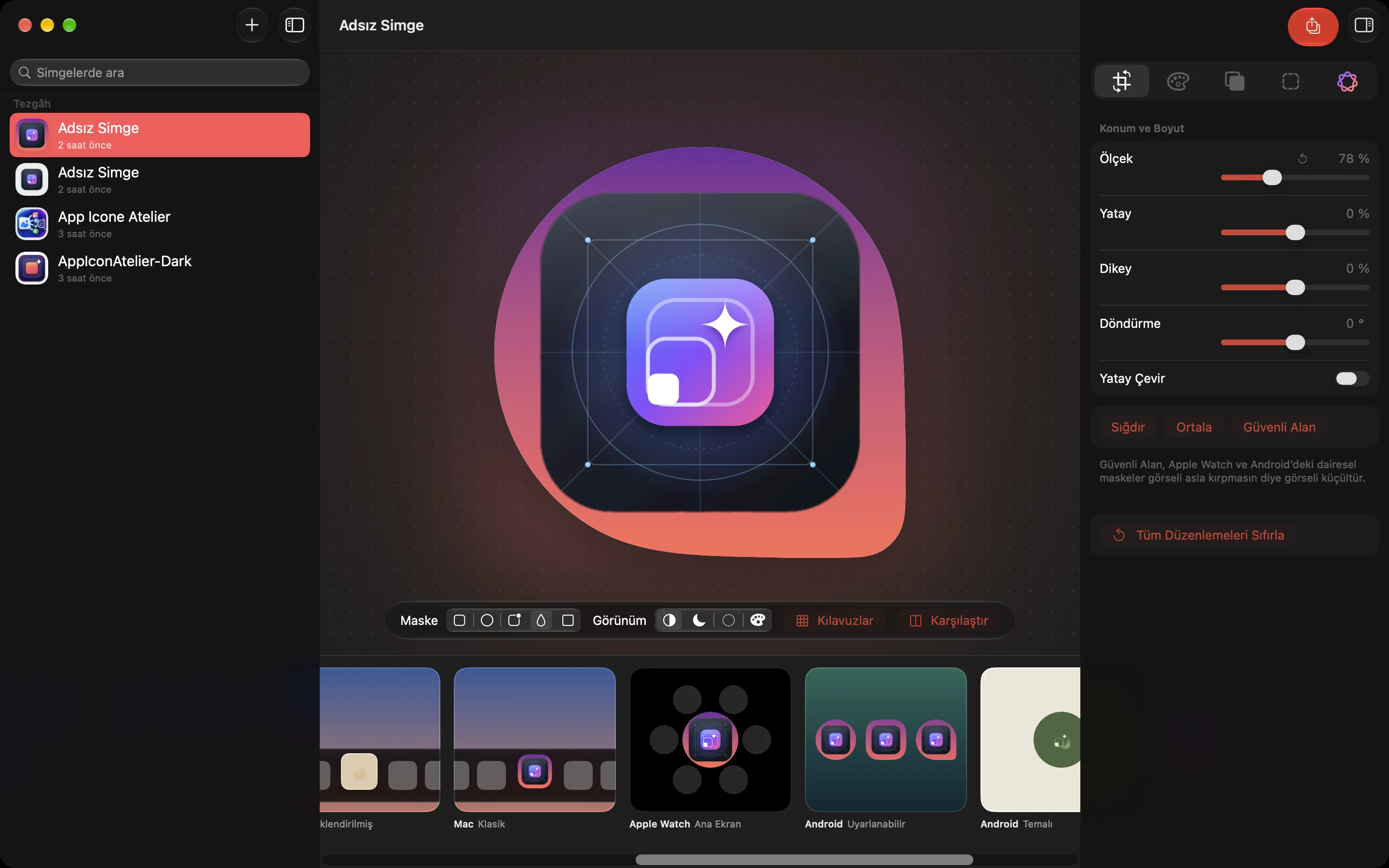
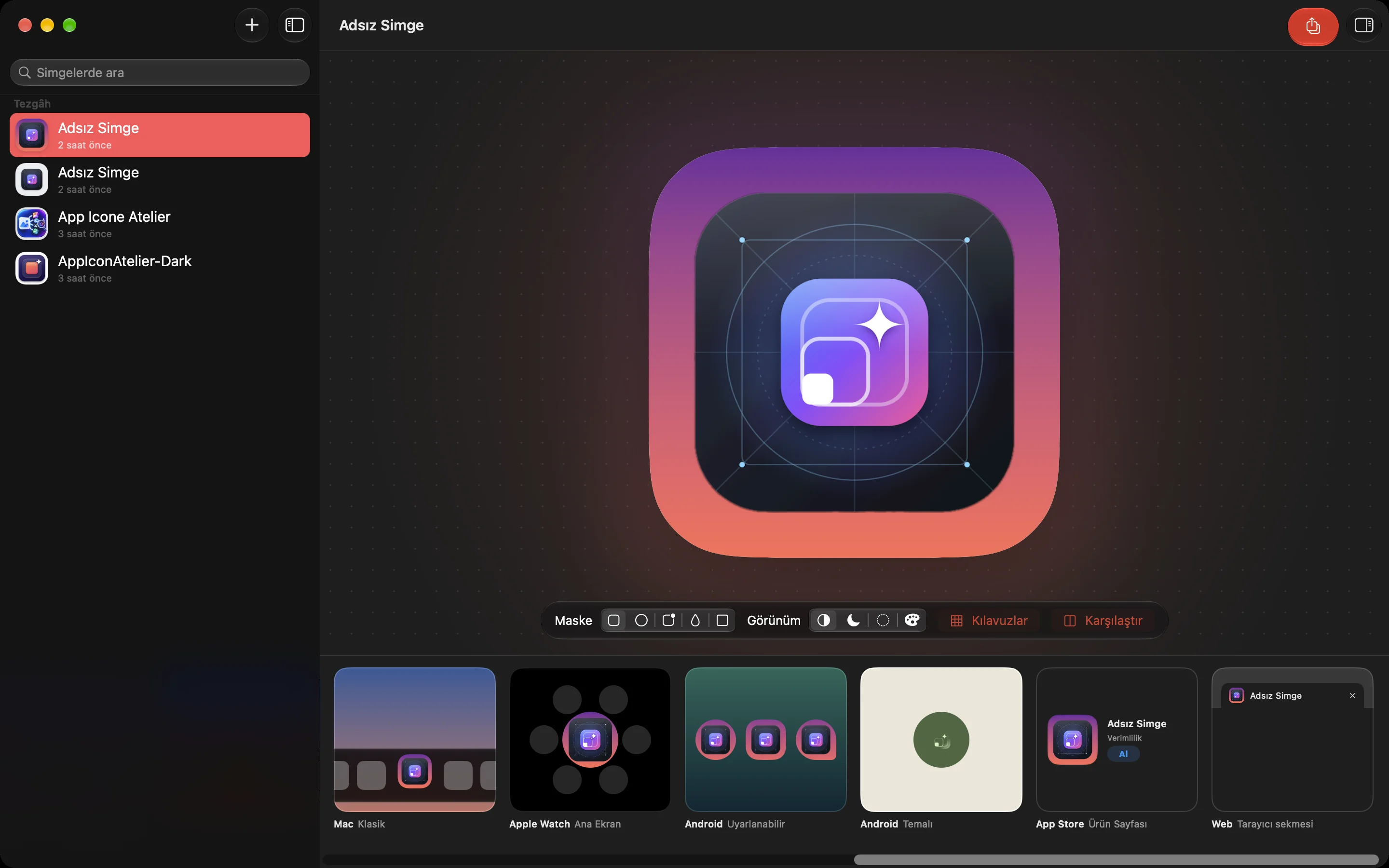
See your icon where it will actually live while you edit: the iPhone Home Screen (Default, Dark, Clear and Tinted), the Mac Dock (modern and classic), Apple Watch, Android adaptive and themed icons, the App Store listing and a browser tab. Switch between iOS, Android circle, squircle and teardrop masks, turn on guides for Apple's icon grid, and compare with the original.
Mac Dock previews
04
Smart tools with Apple Intelligence
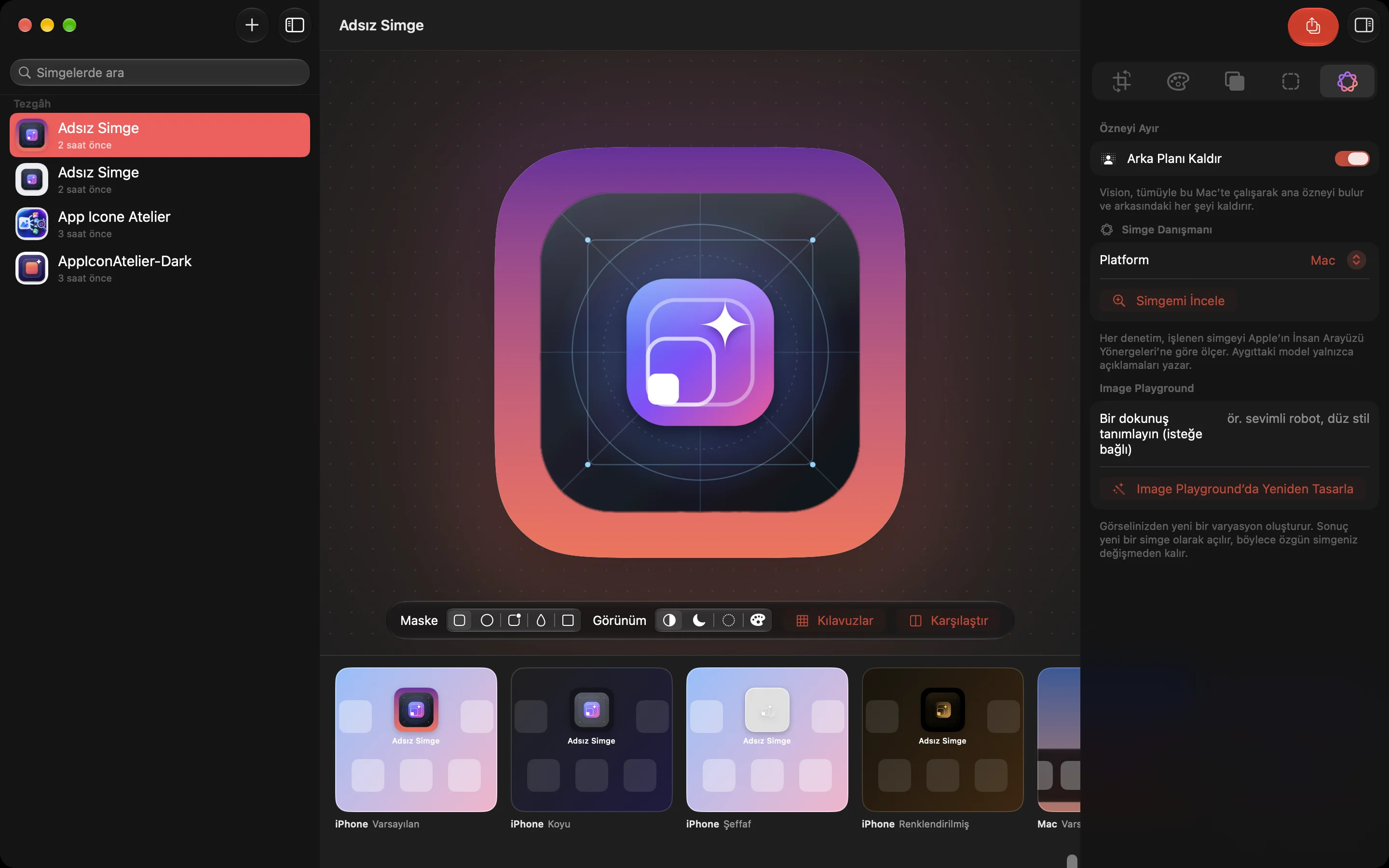
Remove Background: Vision finds the main subject and removes everything behind it, entirely on your Mac.
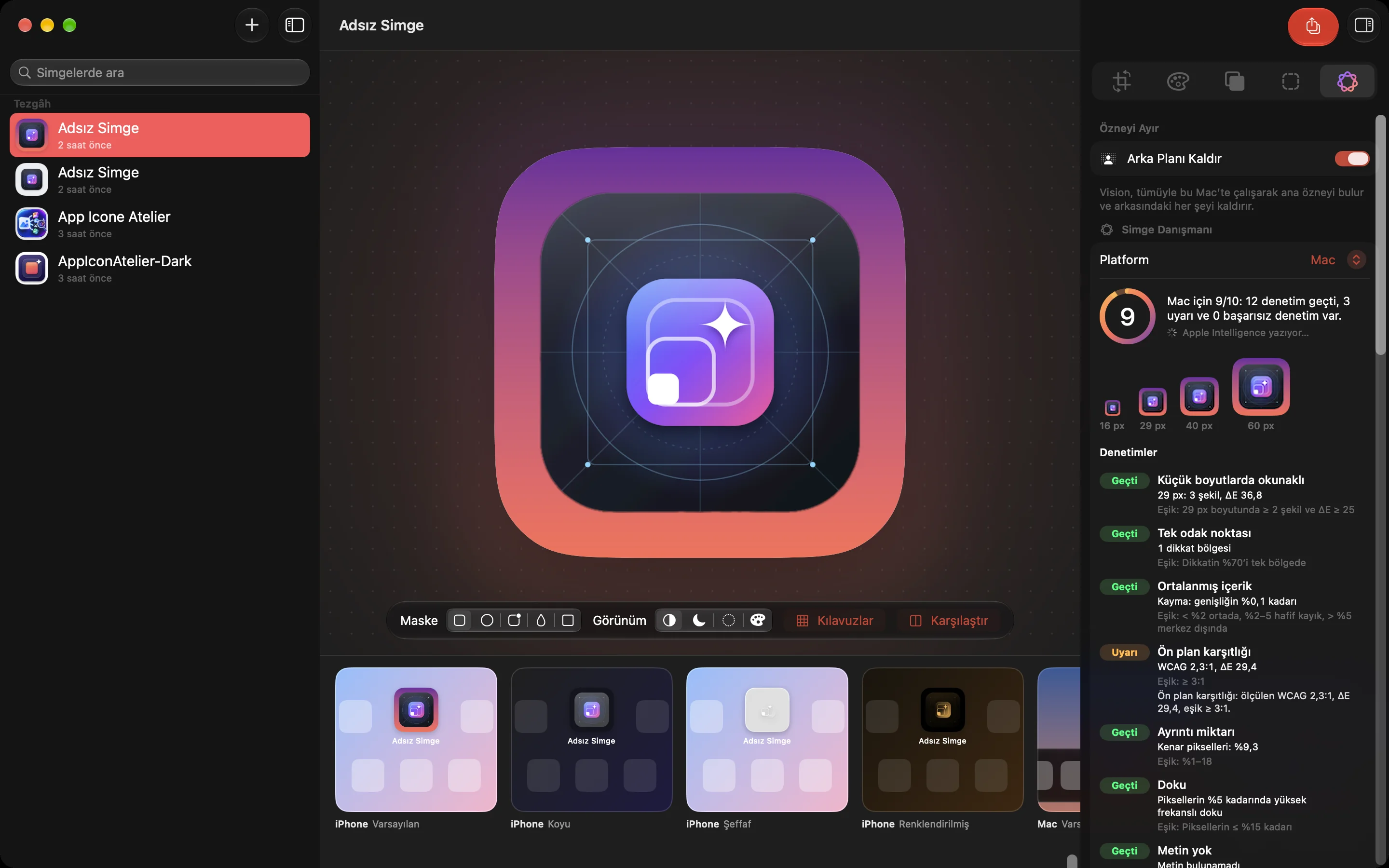
Icon Advisor: Measures legibility at small sizes, focal point, centering, contrast, detail and texture, then scores your icon out of 10 against Apple's Human Interface Guidelines. Apple Intelligence's on-device model only sees those measurements, never your image. Suggested colors apply in one click.
Image Playground: Creates a new variation of your artwork. The result opens as a new project and your original stays untouched.
The Icon Advisor scores the icon against Apple's guidelinesExplore the editor in detail
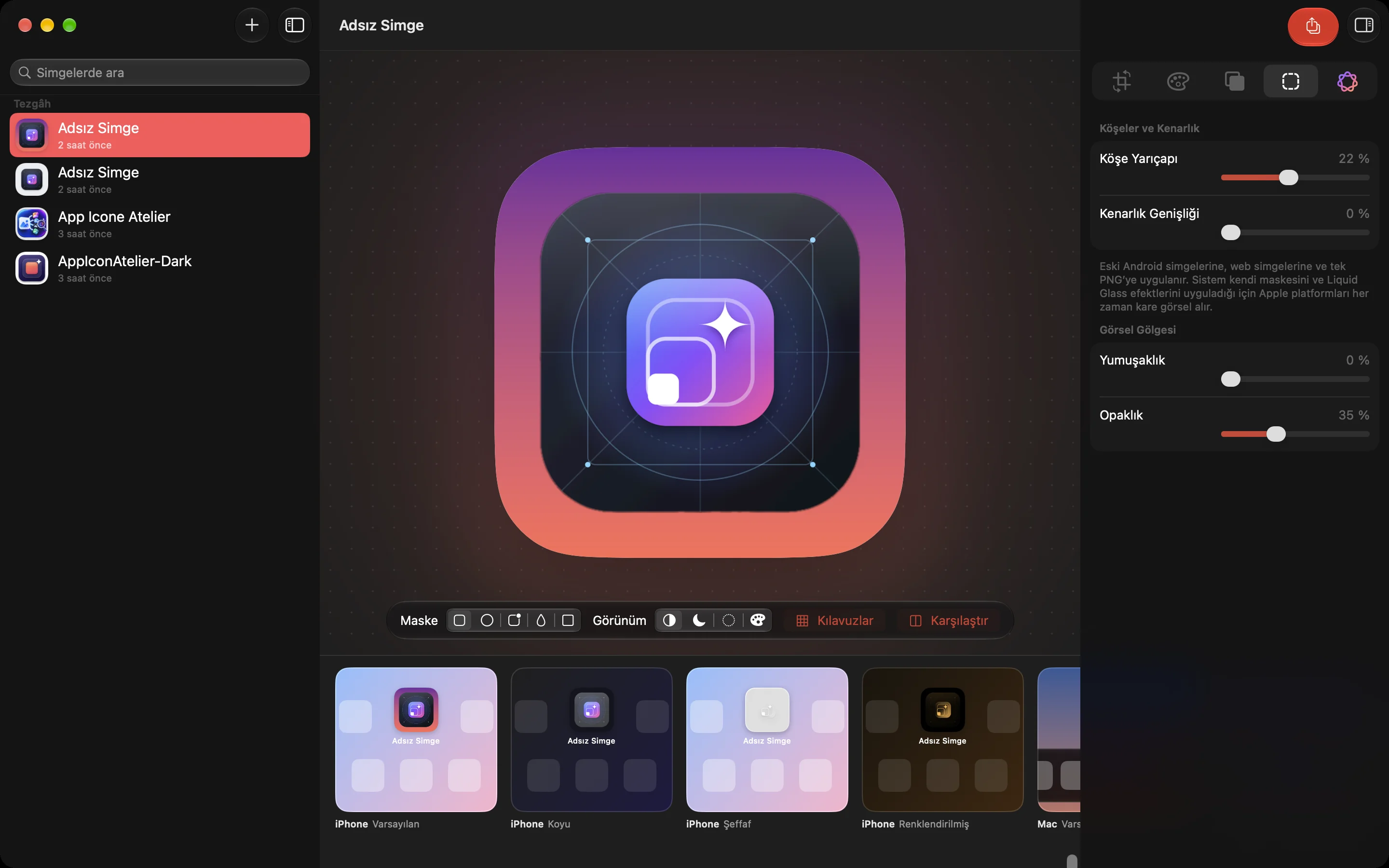
Color adjustments panelCorner, border and shadow settingsSmart tools powered by Apple IntelligenceDark appearance previewPreview with the Android teardrop maskApple Watch, Android and web previews
App Icon Atelier
Every target. The right files.
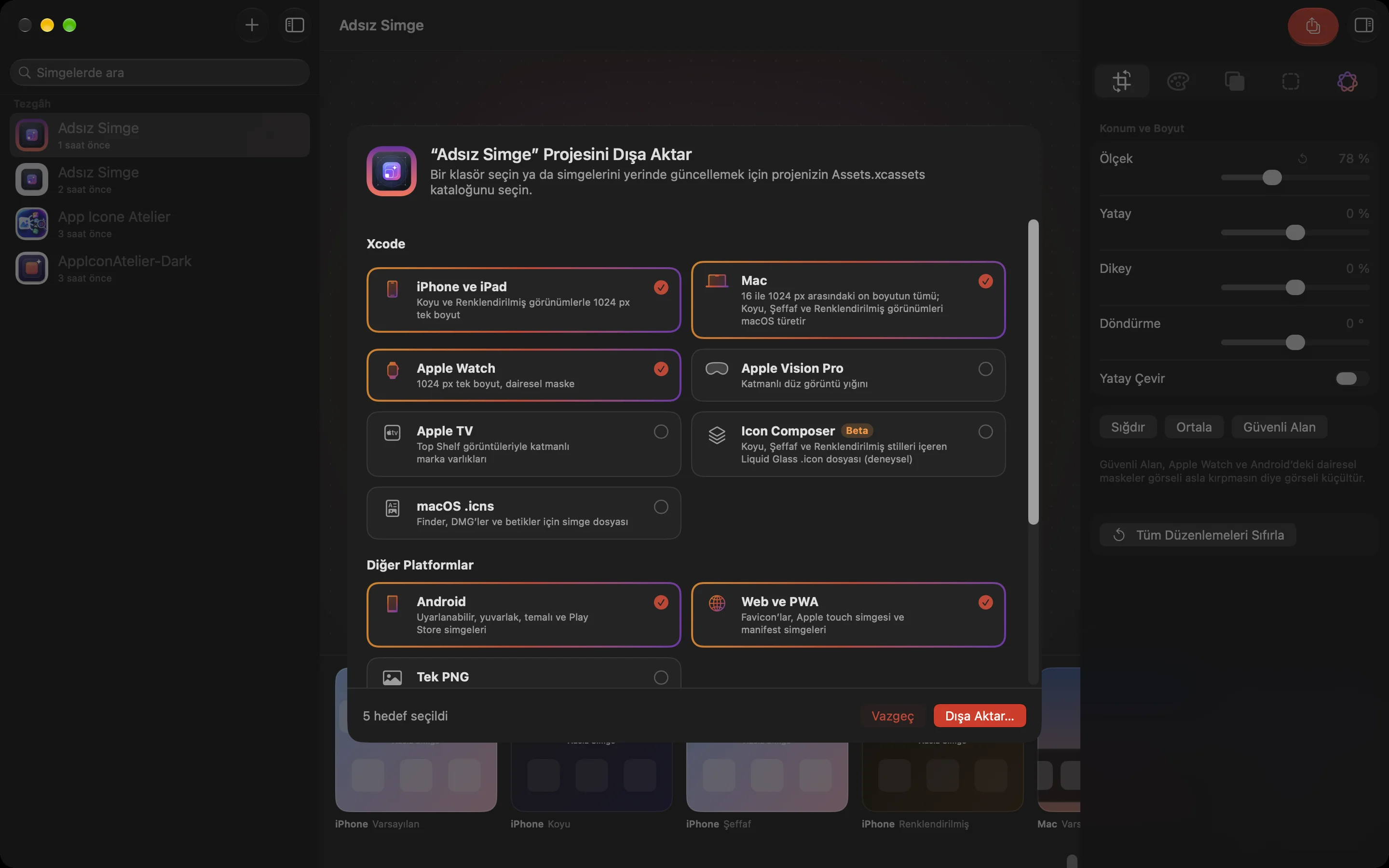
One-click export for every platform
Target
Files
iPhone & iPad
Single 1024 px size with Dark and Tinted appearances
Mac
All ten sizes from 16 to 1024 px; macOS derives Dark, Clear and Tinted
Apple Watch
Separate 1024 px icon set, circular mask
Apple Vision Pro
Layered front and back image stack
Apple TV
Layered brand assets and Top Shelf images
Icon Composer (Beta)
Liquid Glass .icon file with Dark, Clear and Tinted styles
macOS .icns
Icon file for Finder, DMGs and scripts
Android
Legacy, round, adaptive and themed icons for every density, adaptive-icon XML and the Play Store image
Web & PWA
favicon.ico, PNG favicons, Apple touch icon, manifest icons and an HTML snippet
Single PNG
1024 px PNG with your corner and border settings
Update your Xcode project in place. Choose your project's Assets.xcassets instead of a folder and the app refreshes the selected icon sets right inside the catalog. Everything else in the catalog stays as it is.
App Icon Atelier
How it works
Import. Drag your image onto the window or press ⌘O. Each image becomes its own icon project in the sidebar.
Edit. Adjust layout, color, background and shape in the inspector. The showcase below shows your icon on every platform instantly.
Check. Click Review My Icon in Smart Tools to get the Icon Advisor's score and suggestions.
Export. Click the export button or press ⌘E, pick your targets, and choose a folder or your Xcode Assets.xcassets.
App Icon Atelier
Design first. Export when you’re ready.
Price shown on the App Store.
Editing, previews and the Icon Advisor are free.
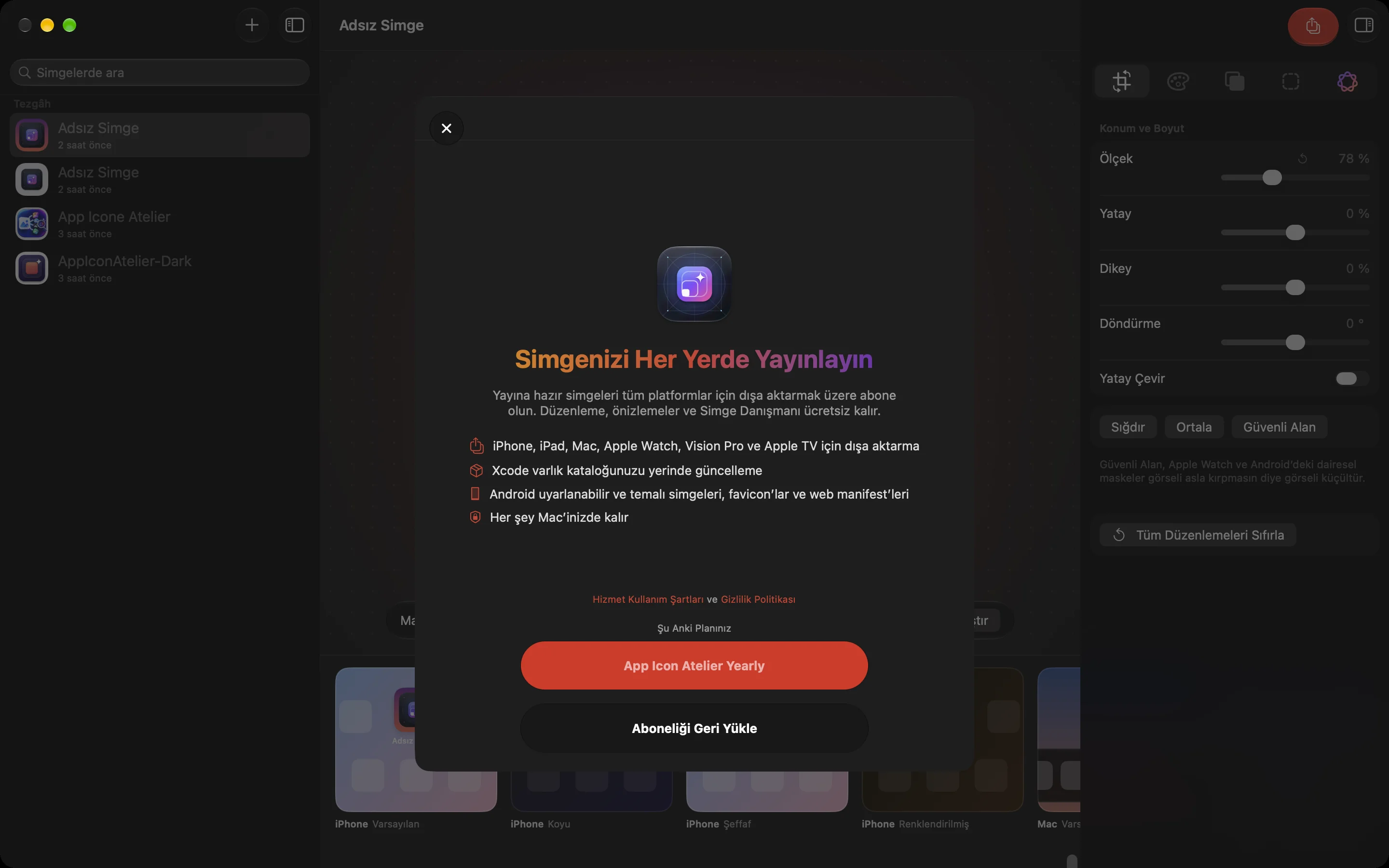
Exporting requires a yearly subscription. New subscribers can start with a 2-week free trial.
The current price is shown in your local currency on the Mac App Store before you buy. Price shown on the App Store.
Apple handles all payments and renewals. Manage or cancel the subscription in your Apple Account's App Store settings.
A Mac that supports Apple Intelligence, with it turned on
Background removal
Doesn't require Apple Intelligence
Languages
English and Turkish
App Icon Atelier
Frequently asked questions
Are my images uploaded anywhere?
No. Importing, editing, background removal and the Icon Advisor all run on your Mac.
What can I do without a subscription?
Import images, use every editing tool and live preview, and get the Icon Advisor's score. The subscription is only needed for exporting.
Can I use my subscription on another Mac?
Yes. On any Mac signed in with the same Apple Account, open Settings › Subscription in the app and choose Restore Purchases.
How do I cancel?
Choose Manage Subscription… in the app's Help menu, or go to Subscriptions on your account page in the Mac App Store. You keep access until the end of the paid period.